
Part 1 of 65 min
Welcome to Boldbobbin
We will explain to you what Boldbobbin does, who it is for, and what you will have made by the end of it.
Boldbobbin is embroidery digitizing software
The first time you wanted to use an embroidery machine, you probably wondered how to put an image into the machine and get a design out of it automatically. A Google search later, you realized the truth: it can’t. Machines don’t stitch pictures. It’s not like textile printing! Someone has to translate the picture into a specific kind of design.
This is where embroidery digitizing comes in. Embroidery digitizing is the art of creating a design that can then be translated into a file of instructions that embroidery machines can understand.
Now, what does that concretely mean? What kind of files do machines understand? It is actually fairly simple at a low level of abstraction. A machine understands a list of instructions that generally consists of a few steps:
- move the hoop 0.3 mm to the right, and 0.4 mm downward
- (often, but not always) put a stitch there
- (sometimes) cut the thread or change colour
and that’s basically it!
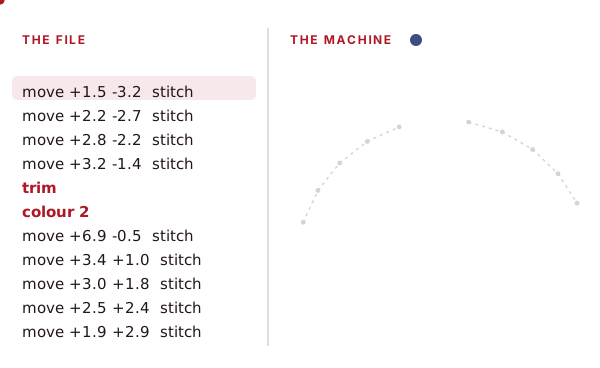
The number of basic instructions remains relatively low: it’s all about aligning the needle at the right place on your design and putting a stitch there. Sometimes, the machine does not put a stitch (this is called a jump stitch), cuts the thread so that it creates disconnected components in the design (this is called a trim), or simply changes colour. An embroidery file is a sequence of actions that tells the needle where to go, when to cut, and when to change colours. And your machine can do hundreds of stitches per minute!
Sounds pretty simple. Why does everyone claim it’s so hard to digitize?
Embroidery digitizing is often presented as a very difficult craft, which in my opinion is exaggerated in online discourse. The main difficulty can usually be linked to one specific reason: digitizing is not a purely digital craft. When you create a design on a computer, you can use as many colours as you’d like, and stack many shapes on top of each other. You can’t do that with embroidery: you have a finite number of thread colours, and stacking layers of thread is limited. Do too much of it and you get what is commonly called bulletproof embroidery.
The goal is to get the stitches onto the fabric, and because of this, digitizers need to consider their clients’ real production conditions, such as the fabric onto which they are stitching, which stabilizers they will use, or even which threads. As the famous digitizer Lindee Goodall said more than fifteen years ago, if a design is custom digitized for a specific fabric or setup, it will not necessarily work well on other fabrics!
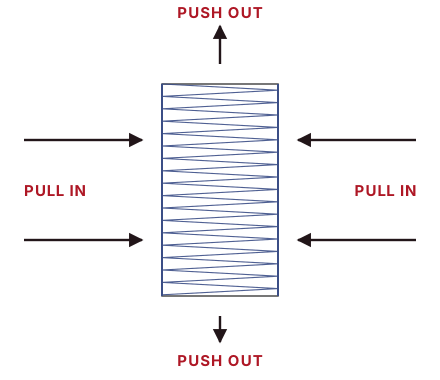
A concrete example is pull/push compensation. Stitching creates tension in the fabric. This is how embroidery works: you create some tension by weaving your top thread with your back thread, often referred to as bobbin thread. But because of this natural tension, your fabric is pulled in the direction parallel to the stitch, and pushed in the orthogonal direction. This is simply the consequence of the force that is applied by the stitching process. But this can have huge consequences for designs, two of which are: what you see on screen might not be exactly what you end up stitching and you need to test a design under similar conditions before stitching it on the real garment. This is a massive headache in the industry because you generally need trial runs.
Sounds hard! How do we do that?
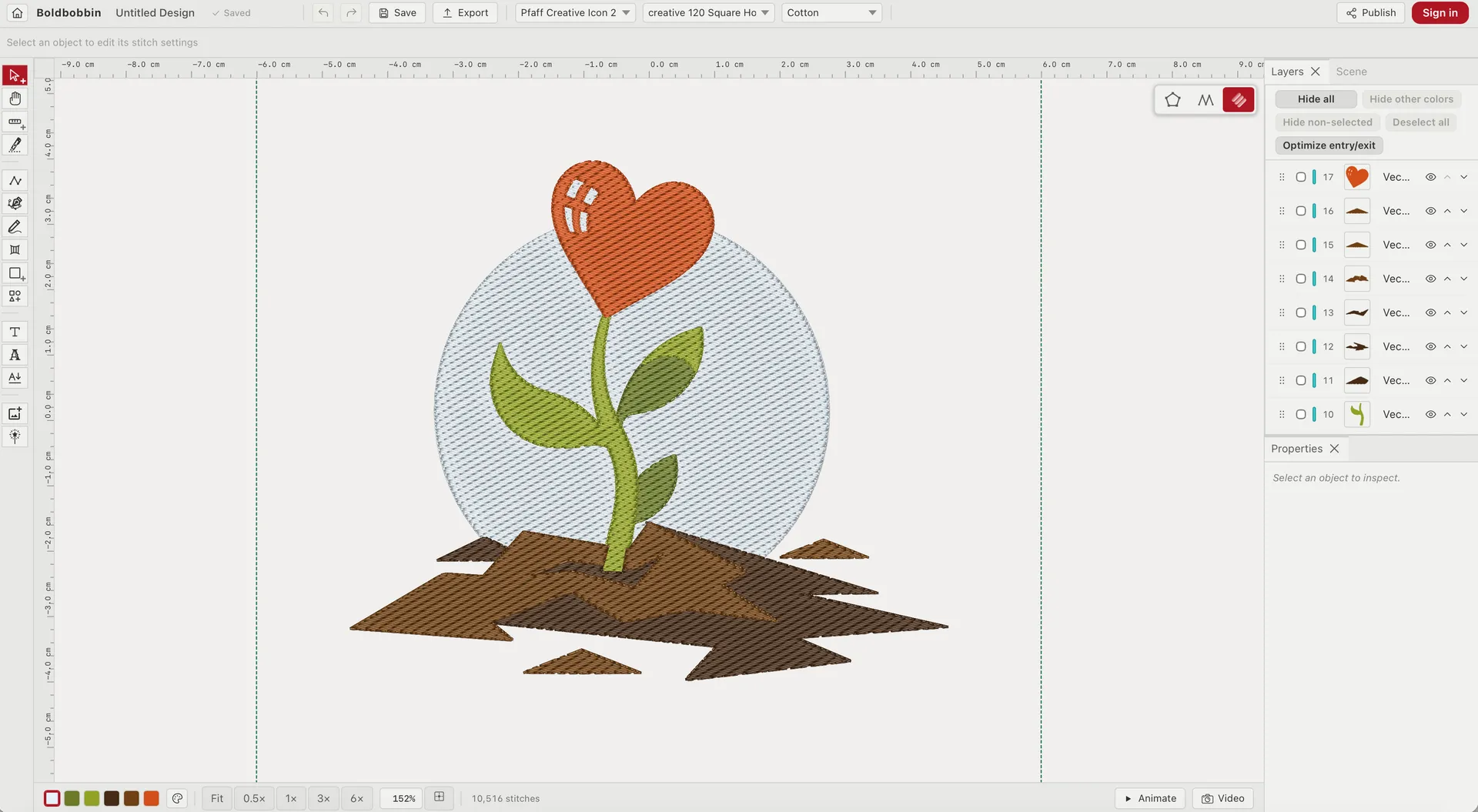
Boldbobbin is a piece of software specifically dedicated to the creation of such designs. Fear not: you do not have to place all the stitches by hand!
If you grew up with Nintendo games like I did, you might have noticed something incredible: both kids and adults love them. This is because their games are easy enough for children to pick up, while providing in-depth mechanics for adults to enjoy. You get both in the same software.
Boldbobbin follows the exact same philosophy. Anyone can create designs very easily, and there are enough knobs for people who really want to deeply understand every mechanic and every nuance of the digitizing world!
This combination creates unique software, made for people with a wide range of skills:
- if you run a shop and create many designs in a factory, you want something easy for creating and tweaking designs;
- if you are already selling your embroidered clothes as an individual seller, you need something accessible and easy, but that also provides all the in-depth components of competent software;
- if you are doing embroidery as a hobby and are tired of merely downloading designs from the internet, you want to learn to digitize without learning complicated software;
- if you want to sell your designs online, you need a way to share your designs easily and export them in multiple formats. You want software that is pleasant to use but that won’t constrain how creative you can be with it.
All of these are excellent reasons to choose Boldbobbin as your embroidery digitizing software. The software is particularly suitable for people making a living from their embroidery craft, but hobbyists also benefit from its ease of use.
What you will have made by the end
By the end of this tutorial, you will have designed and stitched your own embroidery.
The whole thing takes about two hours, spread over six parts. The next two parts are made so that you get something to stitch on your machine as fast as possible. We first make sure your setup is working, and then go through export with a premade design.
In the second half you digitize a design of your own, the way it is actually done: you bring a picture in as a backdrop and trace it by hand, shape by shape, choosing for each one how thread should cover it. Then you sort out the route the needle takes through it, and sew it. With those tools under your belt, you can design pretty much anything!
Let’s get you set up.